

New Race (top menu)
-
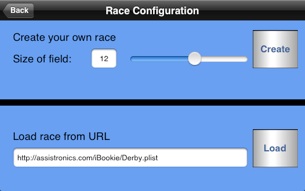
• Use the slider to set the size of the race field and press the Create button
or
-
• To get race data from the Internet enter a URL and press the Load button
Entries (top menu)
-
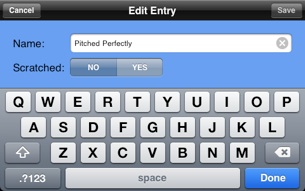
• Change name of an entry
-
• Mark an entry as scratched
Bettors (top menu)
-
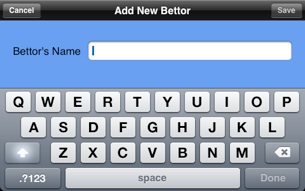
• Use the Add button to add a new bettor, just enter a name and press the Save button
-
• Change the name of any bettor from the list
-
• See the bets made by each bettor, along with totals
Place Bet (top menu)
-
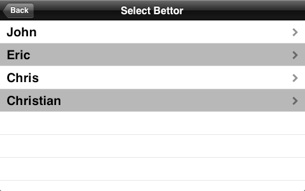
• Select a bettor
-
• At any step you can use the Back button to go to the previous step
Race Results (top menu)
-
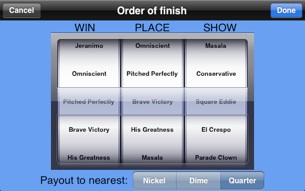
• Set the WIN, PLACE, SHOW finisher on the Order of finish screen, press the Done button
-
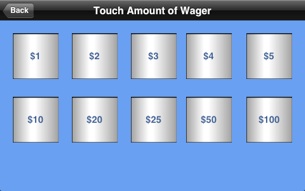
• Touch the amount you wish to bet
-
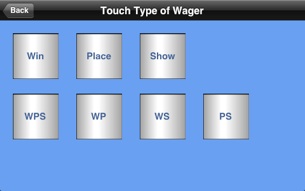
• Touch the type of bet you wish to make
-
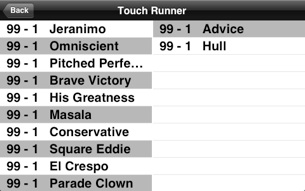
• Touch the entry you wish to bet on
-
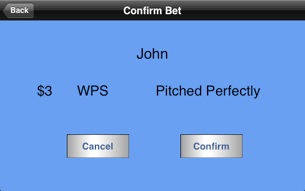
• Confirm the bet
Main Menu
-
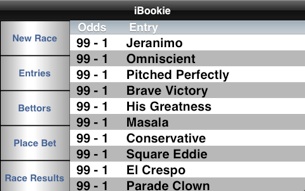
• Right side shows the betting entries with current odds
-
• Left side menu buttons
-
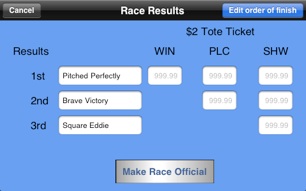
• Press the Edit order of finish button to change the currently selected order of finish
-
• Once you have the order of finish set press the Make Race Official button
-
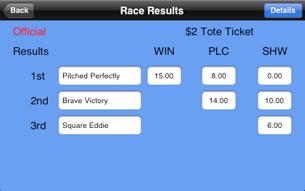
• Press the Details button to see the amount won by each bettor
If you wish to start a new race use the New Race button on the main menu.
Also under the Bettors menu option you can erase bettors by using the Remove All button. This button is only active after a race has been made official.
© 2009 Assistronics. All rights reserved.
Apple, the Apple logo, iPod, and iTunes are trademarks of Apple Inc., registered in the U.S. and other countries. iPhone is a trademark of Apple Inc.
